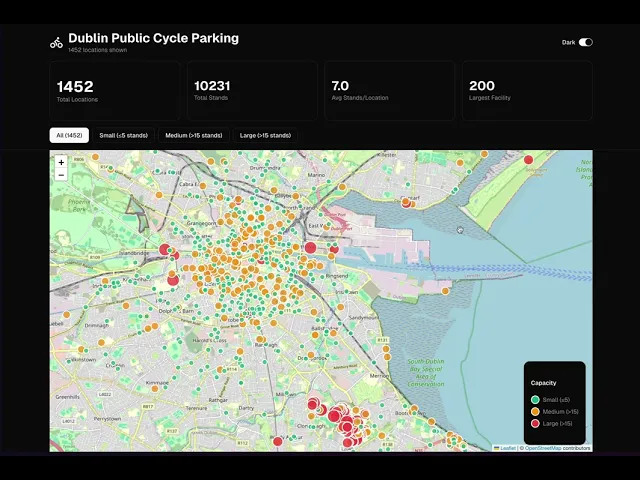
AI-Native Development: Bike Parking Dashboard
Personal Project
Data Analysis
Data Visualisation
AI Coding
Responsive
Focus: AI-assisted coding, component architecture, CSS frameworks
Learning Objective
Explore AI-assisted front-end development by building a data-driven dashboard from scratch—testing my ability to translate ideas into working code through effective prompting and iteration.
Focus: AI-assisted coding, component architecture, CSS frameworks
Why This Project?
I wanted to see if I could -
Build production-quality interfaces by collaborating with AI.
Starting point -
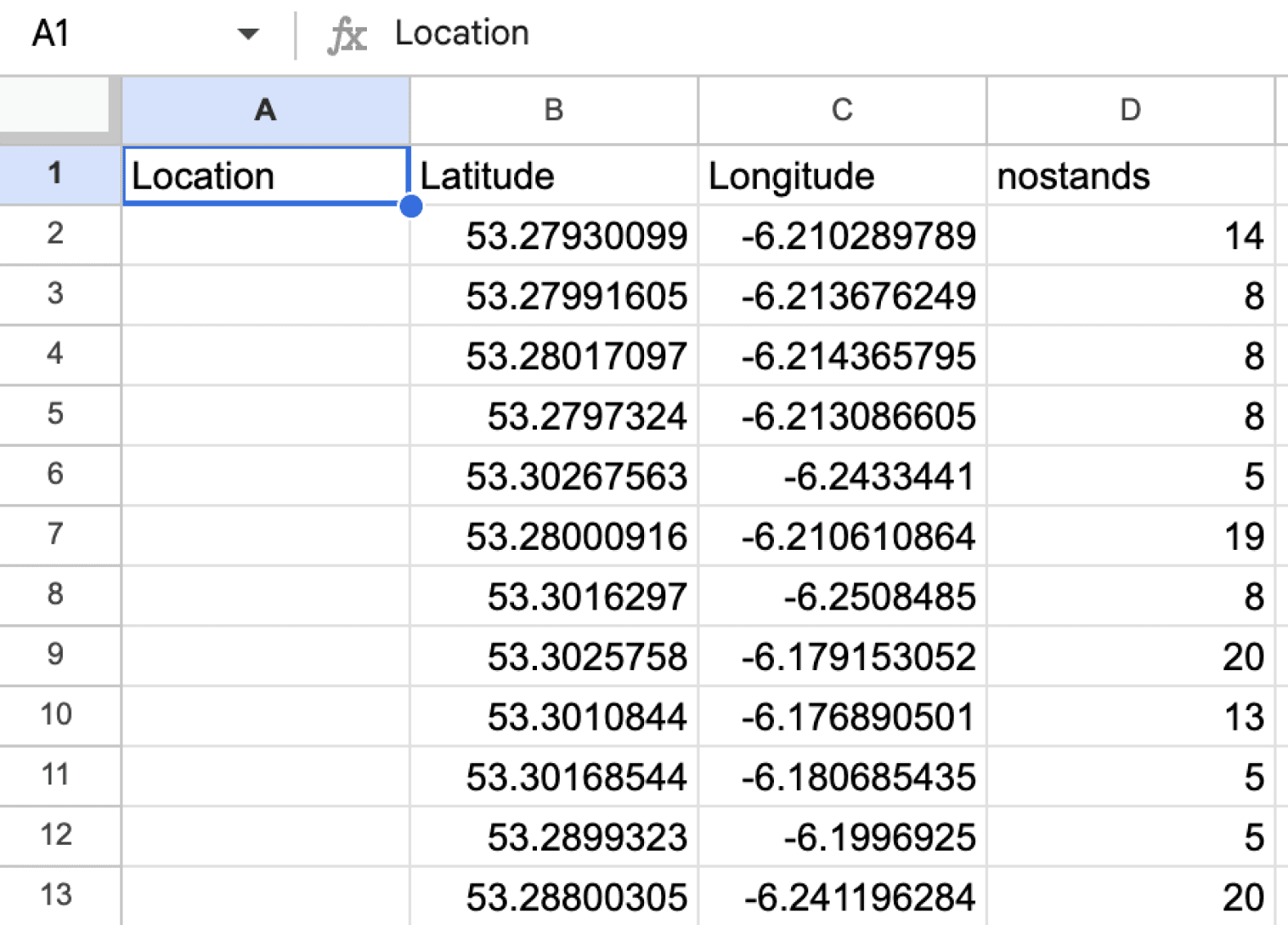
Raw dataset (bike parking locations + coordinates + capacity numbers).
End goal -
Interactive dashboard that I could actually deploy.
My AI Development Workflow
Phase 1: Data Structuring
What I did -
Took unorganized parking data.
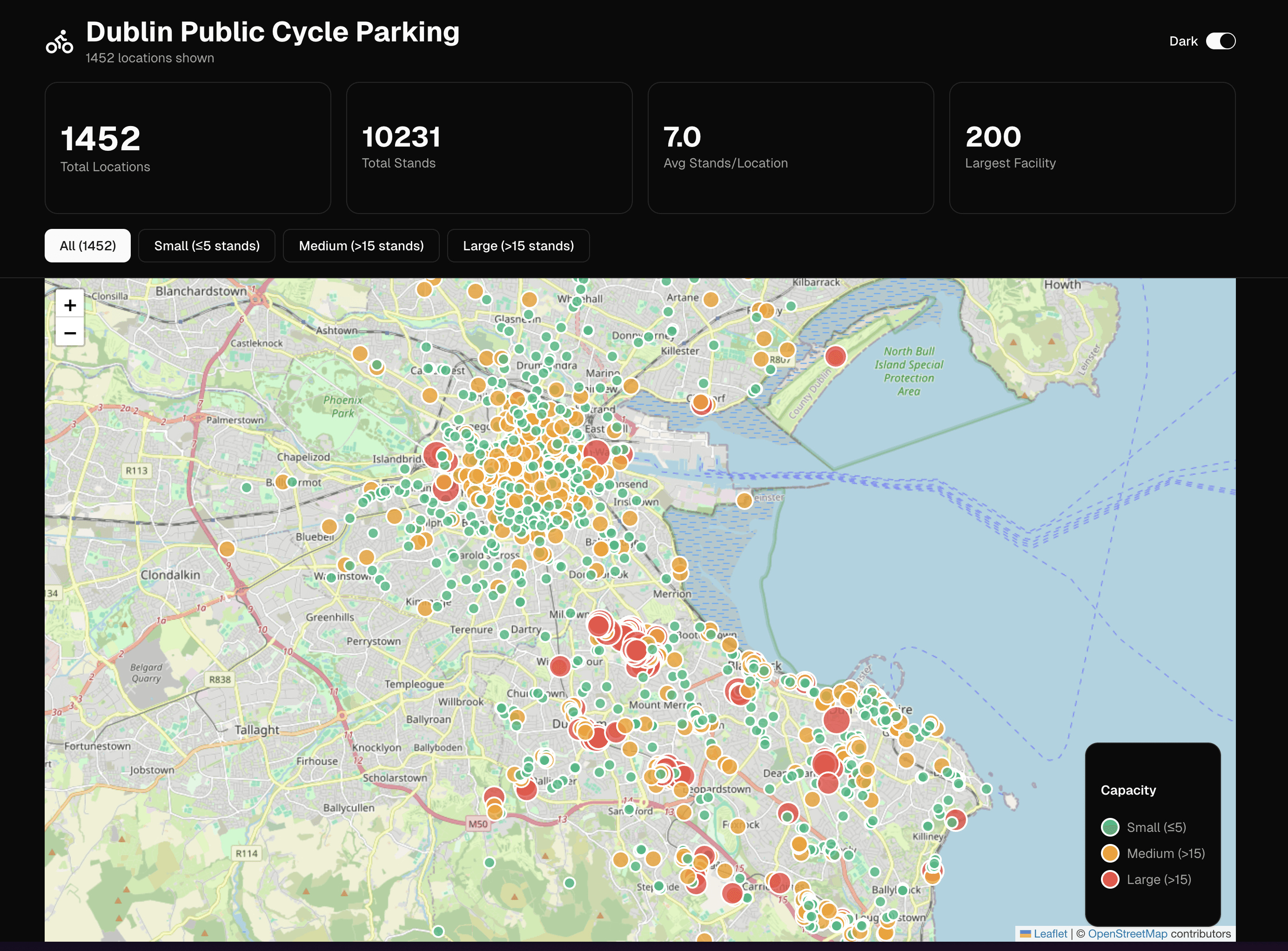
Prompted AI to categorize by capacity (Small/Medium/Large).
Learned how to structure data for component consumption.
Key learning -
Data organization directly impacts the ease to design components.
From this →
To this
Phase 2: Vibe Coding the Interface
My approach -
Described UI intentions conversationally ("I want users to click and see location details").
Refined components through prompts.
Directing AI to test what works.
Components built -
Interactive map with clickable markers.
Filterable parking location list.
Dynamic detailed views.
Capacity-based visual indicators.
Key learning -
Specific, outcome-focused prompts > technical implementation.
Example of some Tailwind Component →
Tabs

Toggle

Dialogue

Stats

Phase 3: CSS Framework Implementation
My focus was -
Understanding how AI uses CSS (Tailwind) utility classes.
Learning framework patterns through iteration.
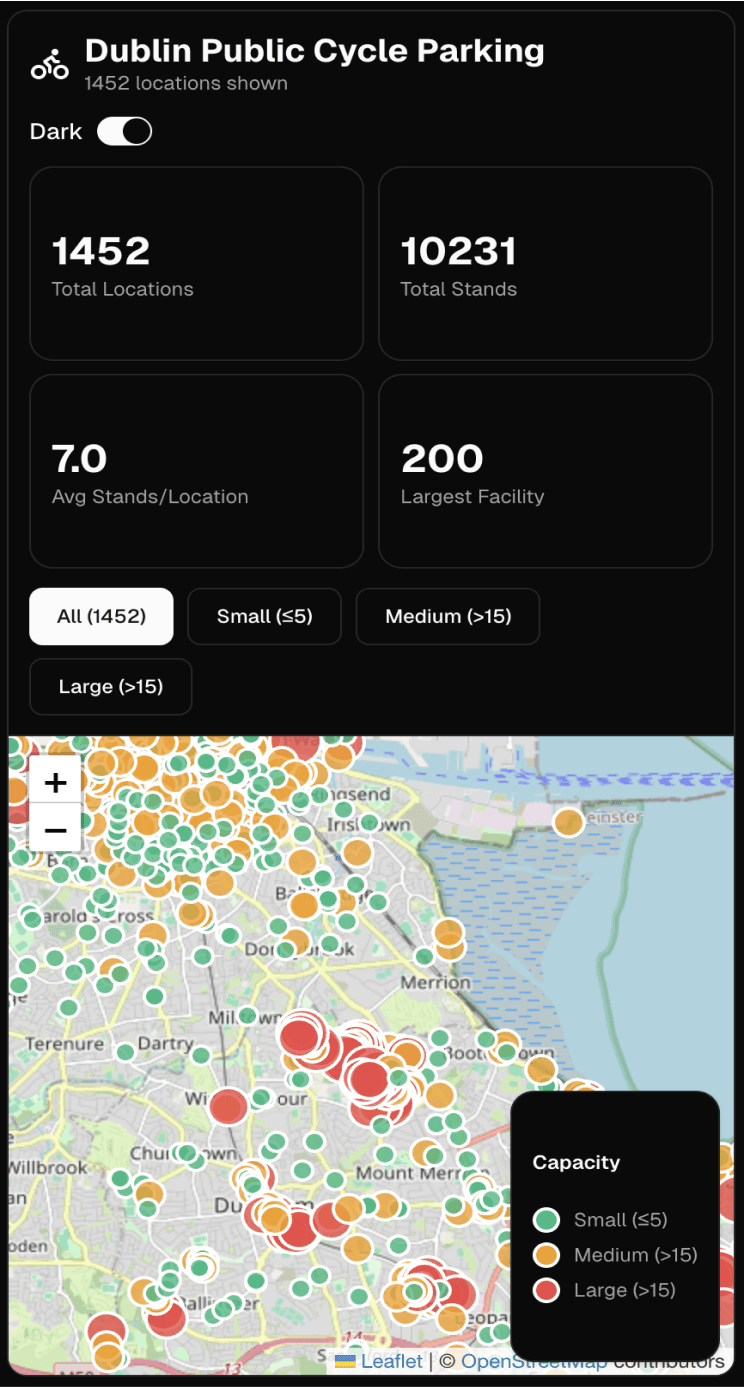
Ensuring responsive design working across devices.
Key learning -
The knowledge of CSS fundamentals enables me to evaluate and direct AI output effectively.
Web →
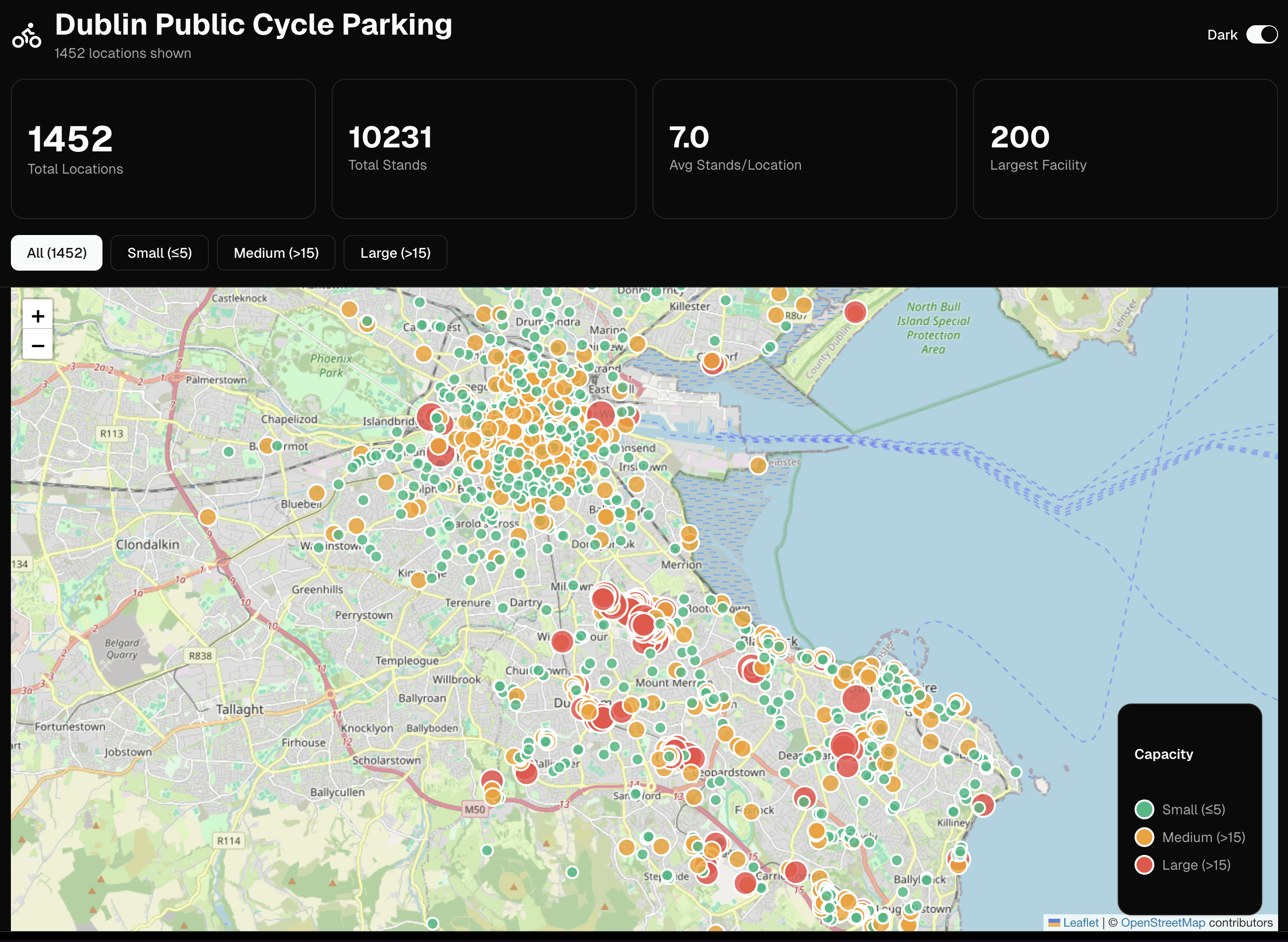
Mobile →
Phase 4: Deployment
Tools: Vercel
I learned to take AI-generated code from prototype to live URL.
Technical Skills Developed
AI Collaboration:
Prompt engineering for front end development.
Iterative refinement through conversation.
Debugging AI-generated code.
Front-End Fundamentals:
Component-based architecture.
State management for interactive features.
CSS framework patterns.
Responsive design principles.
Data-to-UI transformation.
Development Workflow:
Version control with AI-assisted code.
Deployment pipeline (Vercel).
Performance considerations for data rendering.
Key Takeaways
About AI-assisted development
AI accelerates prototyping but requires clear direction.
Understanding fundamentals (CSS, component architecture) is crucial.
Best results come from iterative conversation, not one-shot prompts.
My capabilities
I can translate product ideas into working interfaces.
I understand how to structure data for UI consumption.
I can better support Front-End Engineering.
What worked well and learnings
Fast iteration - Built a working prototype in 1 day.
Learning velocity - Understood component patterns by practicing.
Real output - Deployed, functional dashboard.
Problem solving - Learned to understand and categorize data for easier visualisation.